

Ghost Reader
A clipboard reader that speaks whatever you copy.
Text-to-speech
MP3 export
Session resume
A small bundle of ghost-themed utilities, quietly doing their thing.
A clipboard reader that speaks whatever you copy.

Multi-voice script studio for dramatic readings.

Hierarchical notes in a single portable file.

Stamp PDFs and scans with clean vector seals.

Type a shortcut, get the whole paragraph.
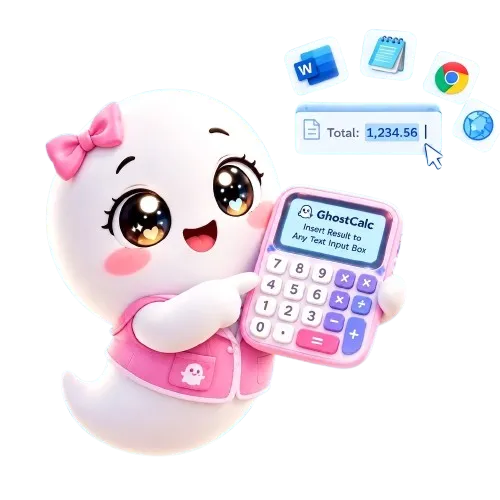
A calculator that types its answer into any window.

A completely offline local-LLM chat app.
GhostBundle is a small collection of free Windows utilities built for people who want their tools to stay out of the way. Every app is portable, offline-first, and designed to do exactly one thing well. No account, no sign-in, no telemetry — just a folder you can drop anywhere and run.
The bundle currently ships seven apps: a clipboard text-to-speech reader, a multi-voice script studio, a hierarchical notepad, a PDF and scan stamper, a text expander, a calculator that can insert its answer straight into another window, and an offline local-LLM chat.
Copy any text, and Ghost Reader speaks it aloud. Useful for proofreading, reading long articles hands-free, or listening to notes on a second monitor. You can export a session to MP3 and resume where you left off.
Write a script, assign a different voice to each character, and add sound effects or background music. Ghost Cast renders the whole thing to a single MP3 — handy for audio dramas, tabletop RPG intros, or narrated slideshows.
Notes live in one file you can carry on a USB stick or sync yourself. Rich text, nested pages, automatic backups, and a search that looks across every note at once.
Apply clean vector seals to PDFs and scanned images. Sixteen preset seals cover the usual cases — Approved, Paid, Draft, Confidential, and so on — and you can export the result as a stamped PDF or a PNG. Everything runs offline.
Define a short trigger, and Ghost Phrases types the full paragraph for you wherever your cursor happens to be. Boilerplate replies, signatures, and snippets stop being a copy-paste chore.
A standard keypad with memory and percent, plus five worksheets: mortgage, fixed deposit, recurring saver, unit conversion, and date calculation. The difference is that Ghost Calc can type its result directly into whichever window is focused — no manual copy-paste.
Load any GGUF language model and chat with it entirely on your own machine. No account, no telemetry, no cloud — every reply is generated locally by the model you supply. Includes sampling presets, prompt-format overrides, session saving, and a rotating image panel.
Yes. Every app is free forever. There are no ads, no upsells, no account required, and no telemetry of any kind.
Mostly no — but it depends on the voice you choose. All seven apps run entirely on your machine: no accounts, no sign-ins, no cloud sync, and no telemetry. Download them once and use them forever offline.
The one exception is online voices. If you pick a cloud-backed SAPI voice such as Microsoft Xiaoxiao Online or Microsoft Yunxi Online, the app needs an active internet connection while it speaks, because the audio is synthesized on Microsoft's servers rather than on your PC. Local Desktop voices (David, Zira, Hazel) work fully offline, forever.
Windows 7 SP1 or later, with .NET Framework 4.x installed. The apps are portable — no installer required, and no registry changes. Most of the bundle runs happily on 32-bit Windows, but Ghost Chat and GhostStamp Pro require 64-bit Windows. Ghost Chat needs it because its local LLM engine only ships 64-bit native libraries; GhostStamp Pro needs it for the same reason — its PDF and imaging libraries are 64-bit only.
Each app has its own help page. Use the navigation bar at the top of this page, or click the Docs button on any app card.
The full license terms ship with each application. In short, they are free to use, but please read the license included in each download for details.
Every app here is free forever — no ads, no tracking, no cloud. If these little ghosts have made your day a bit easier, a small donation keeps them fed and keeps the lights on.
Support GhostBundle →(If the link spins forever, your adblocker is blocking Square. Try a different browser or pause AdGuard!)